Private beta — not on stores yet

Be a part of
the InkPocket app

Scan the cards you open, keep your collection current and see what it's worth, build decks and share them. Your collection stays on your phone.

Already collecting in the official Lorcana app? Bring it all across in one paste. Tracking your collection on another site? Import the CSV you already export.

Looking for the official app? Visit disneylorcana.com/app.

InkPocket preview

What you can do with InkPocket

Build, import, and share Disney Lorcana decks in seconds. Scan cards to update your collection and get instant stats like ink curves and inkable ratios.

Import from the official app

Paste the backup link from the official Disney Lorcana app and your cards and your decks come across — see how it works.

Card scanner

Fast card recognition with auto‑collection updates and live totals. When two printings read the same it asks instead of guessing, and an add can always be taken back.

Card prices

Every card shows what it's worth and your collection shows its total. Pick the market you actually buy on — Cardmarket or TCGplayer — and read the trend or the lowest price, then see what the week did to your shelf: what went up, what went down, and the copies nobody prices yet. Tap a price and you get the days behind it, so you can tell a spike from a climb.

Deck builder

Advanced filters, sorting, ink curves, inkable/non‑inkable breakdowns, and format legality as you build.

Deck Showcase

Turn any deck into a picture worth posting — every card laid out, ready for Discord or Instagram. Or send the deck itself as a link a friend opens straight in the app.

Draw odds

Know your chances before you shuffle: the odds of drawing the cards you need, by turn, worked out from your actual deck. There's no Calculate button — the answer is on screen before you touch anything, and it moves as you edit.

Lore counter

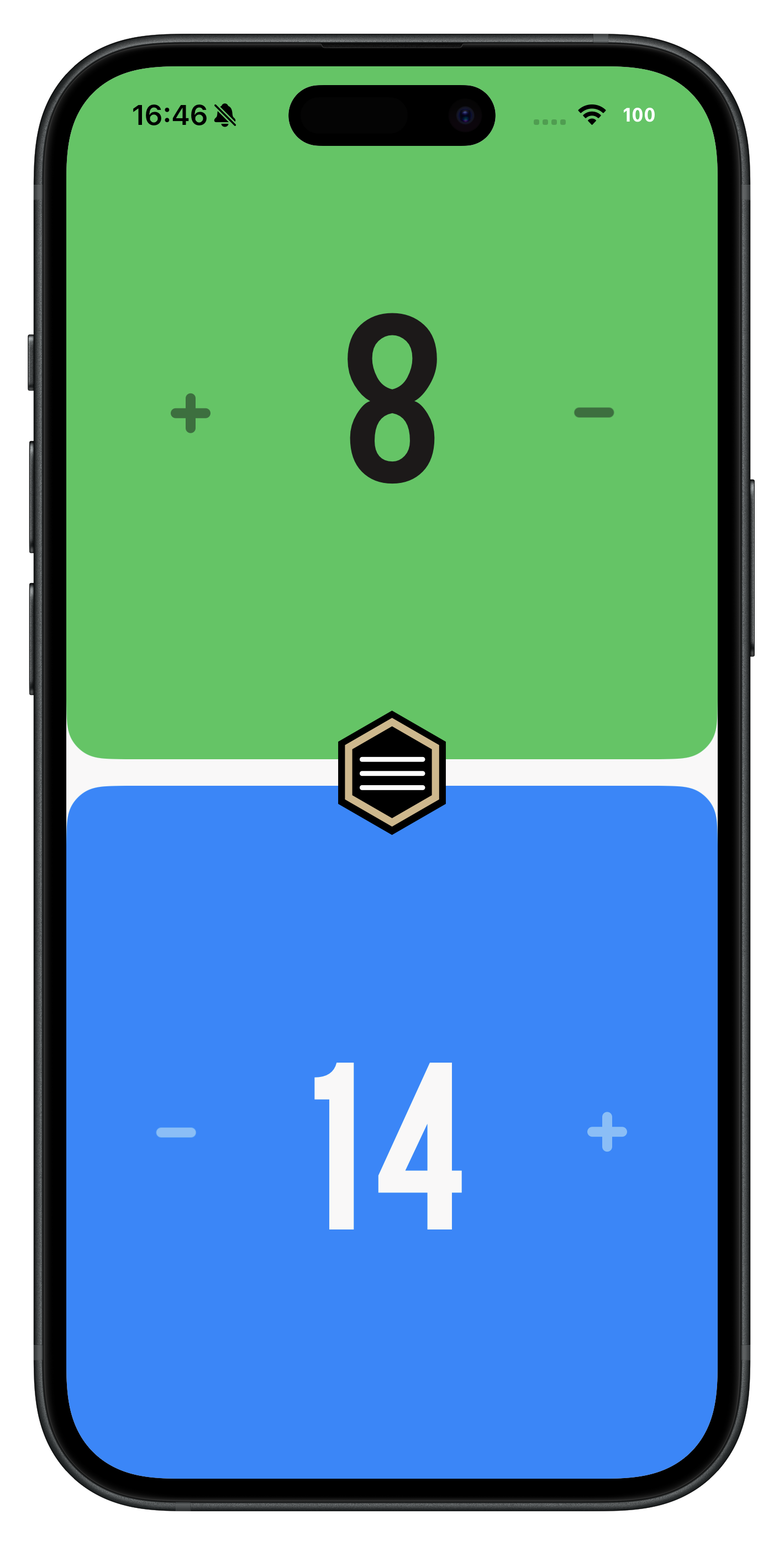
A two‑player lore tracker that faces both ways across the table, with a history of every change — and the game is still there if the phone locks or the app closes mid‑match.

In Italian and in English

InkPocket follows your phone's language, cards included: Italian names, rules text and artwork for every set printed in Italian, English for the two that never were. Search reads both languages at once, so Ade and Hades find the same card.

The rulebook, in your pocket

The full official rules inside the app, with an index down the side that jumps straight to the section you're arguing about — instead of scrolling a PDF someone has to go and find first.

News & events

What's happening in Lorcana, without leaving the app: announcements, set news and tournament results with the decks that finished on top — and a calendar of the qualifiers and Challenges still to come. Narrow it to the part of the world you play in, and the things that concern everyone stay put.

Match & meta assistant Planning stage

Where we'd like to take InkPocket next: an assistant inside the app that looks back at how your games went, and shows what the format looks like right now — which cards and decks people are actually playing, from anonymous, aggregate data.

Private by design

No sign‑up, no profile. Your collection stays on your phone — we never see it. Deck lists you save feed anonymous, aggregate stats, never tied to you — read the privacy policy.

Bring your collection with you

You've already spent months telling something else what you own. You shouldn't have to do it twice — InkPocket takes it from wherever it is now.

From the official Lorcana app

Paste the backup link the official app gives you, and your cards and your decks come across. There's no file to export and nothing to type in again.

Open Collection backup

In the official Disney Lorcana app, open the menu — the three dots on the home screen — and tap Collection backup.
The official Disney Lorcana app's menu, with Collection backup highlighted

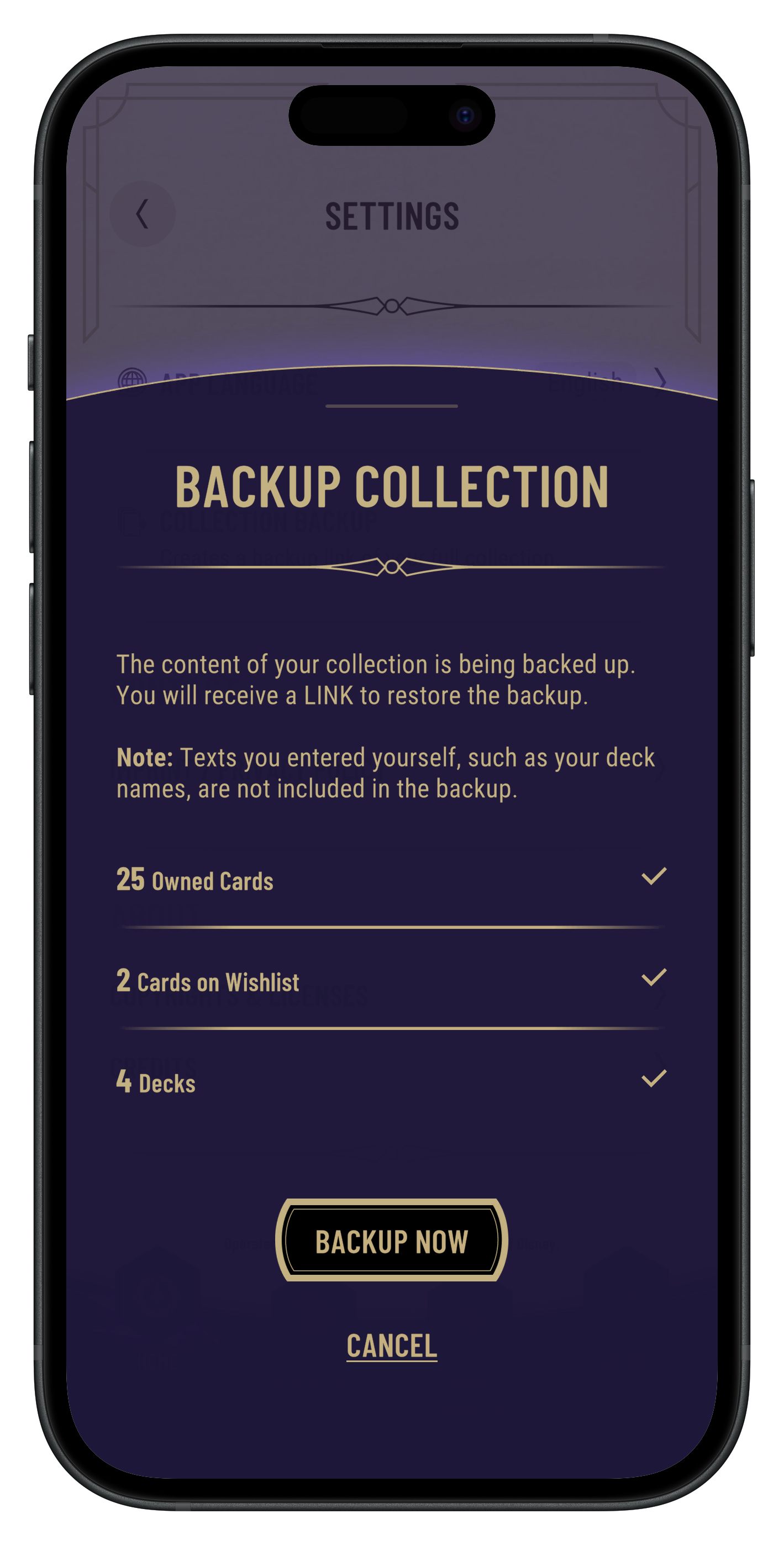
Back up and copy the link

Tap Backup now. The app hands you a link — copy it.
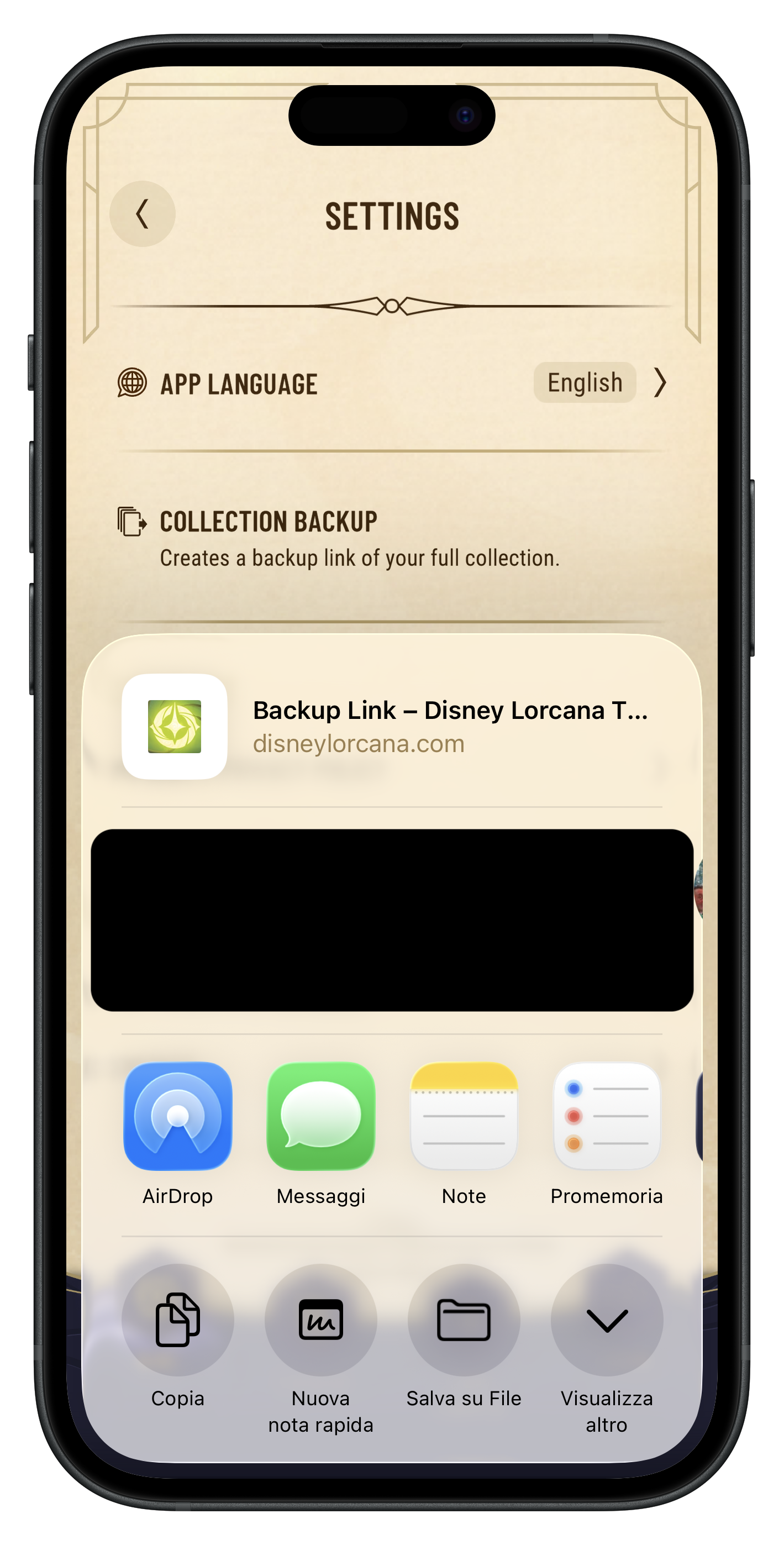
The official app's Collection backup screen, showing the Backup now button and the link it produces

Paste it into InkPocket

In InkPocket, go to Settings → Your collection and find Import from the Lorcana app. Paste the link, pick Merge or Replace, and tap Import from link.
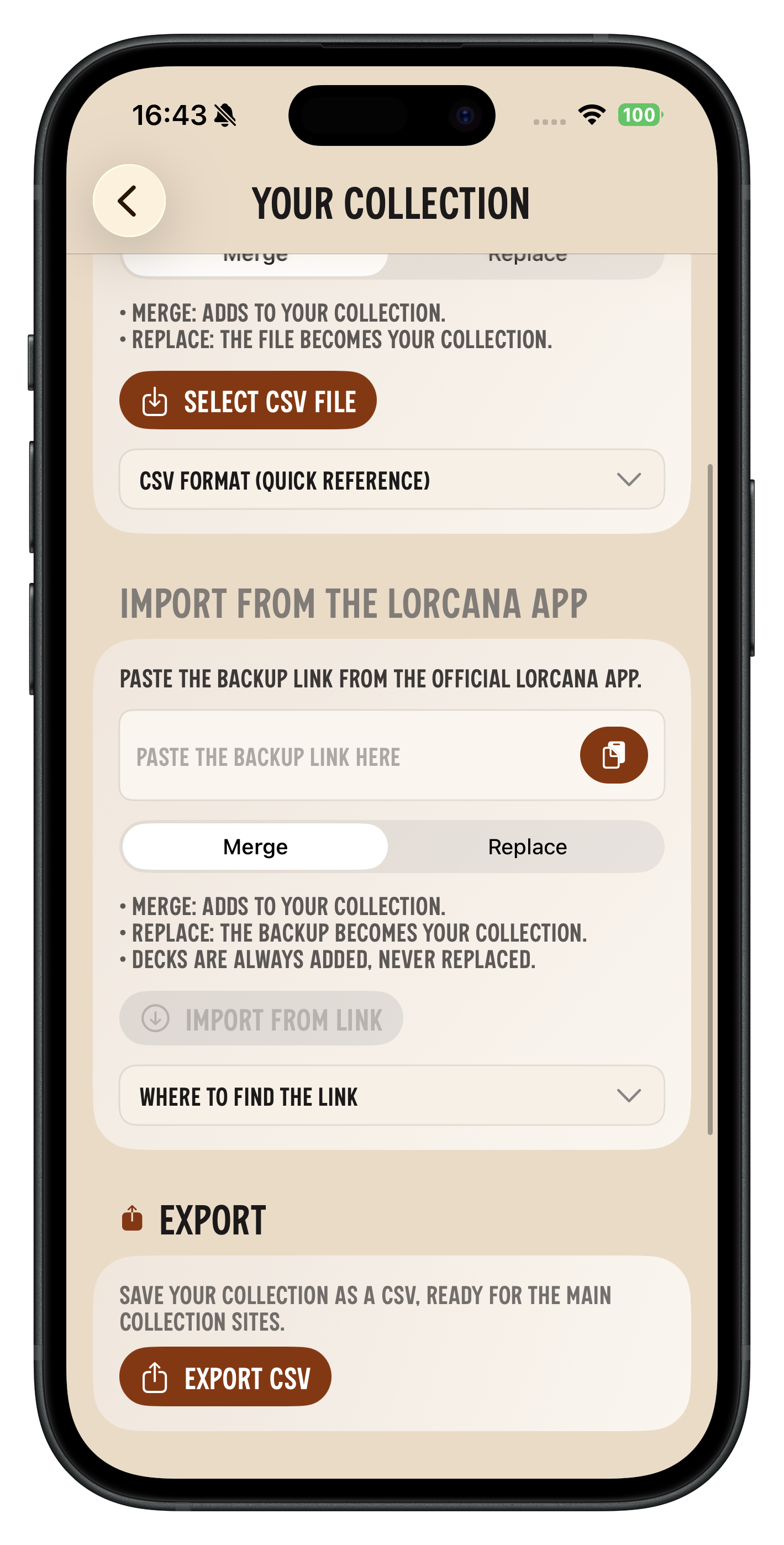
InkPocket's Your collection screen: the field where the Lorcana backup link goes, the Merge or Replace choice, and the import button

Treat that link like a password. Anyone who has it can read your collection, so don't post it anywhere. InkPocket uses it once to fetch the backup and doesn't keep it.

Backups also expire. If the link stops working, make a fresh one in the official app — an old link and a mistyped one look the same from here.

Merge adds to what you already have. Replace overwrites the quantities for the cards the import lists. Either way, decks are only ever added — importing again never deletes or overwrites a deck you built here, and it won't leave you a second copy of one you already imported.

From a collection CSV

Tracking your collection on a site that exports a CSV? InkPocket reads that too — the same Settings → Your collection screen has Select CSV file, with the same Merge or Replace choice. It accepts both of the layouts those sites commonly export, and it tells you plainly if it can't read a file rather than importing nothing and calling it a success.
Peek at the app

A quick look at the current beta. Visuals and features are evolving rapidly.

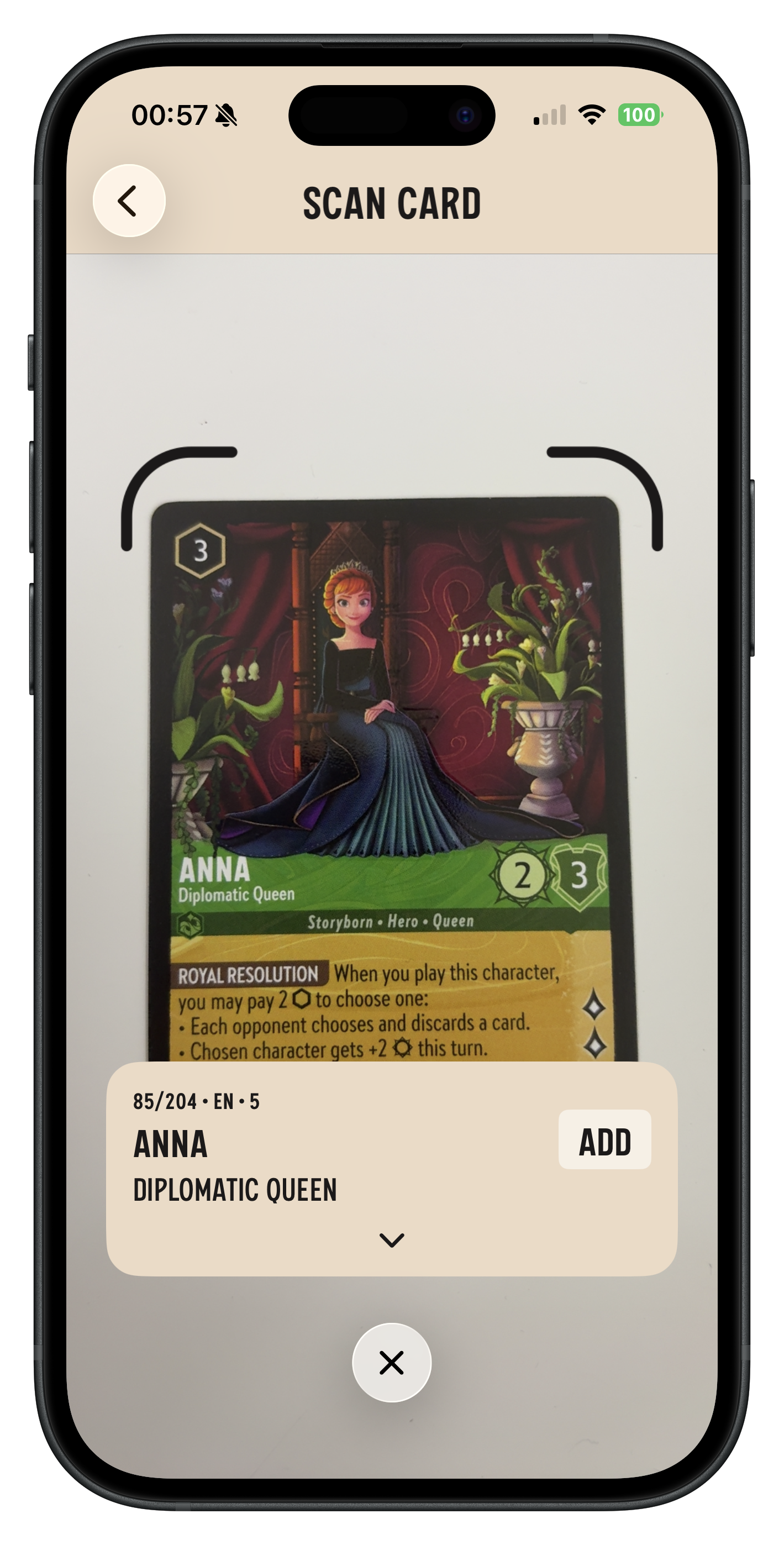
Scanning a card with the camera: InkPocket has read it and offers to add it to the collection
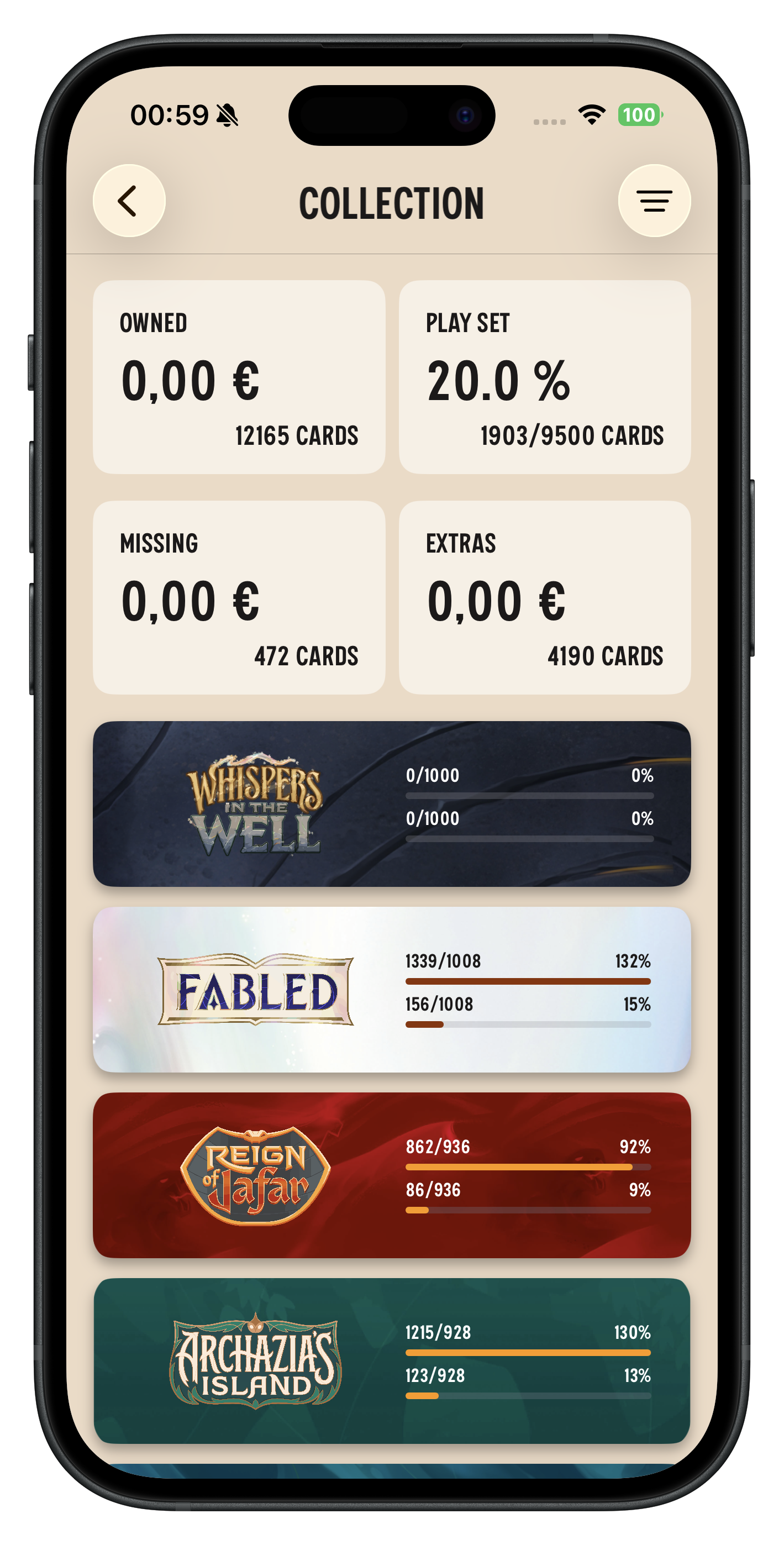
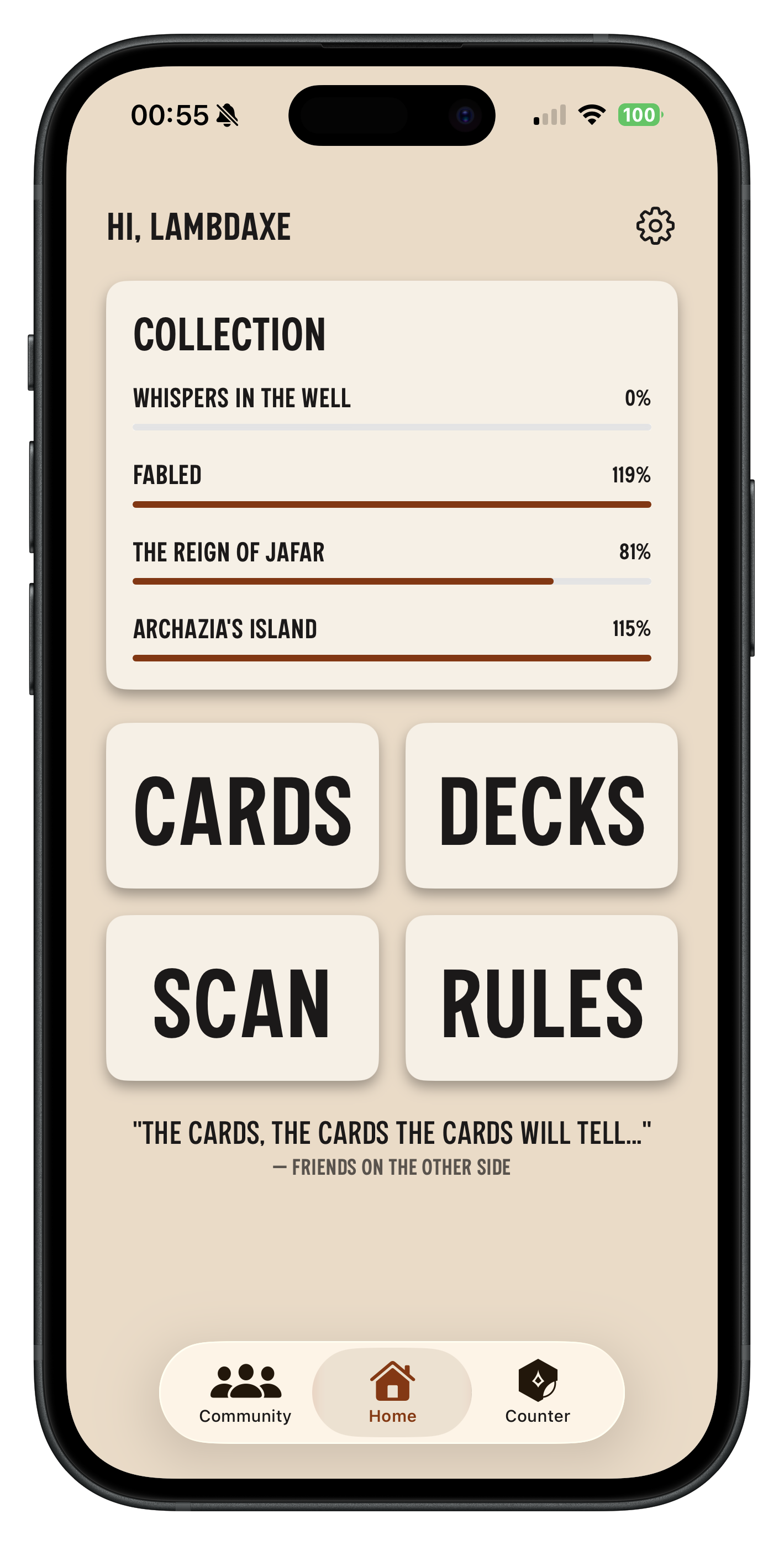
The collection screen: how complete it is, the copies owned, what it's worth today and how much the market moved it
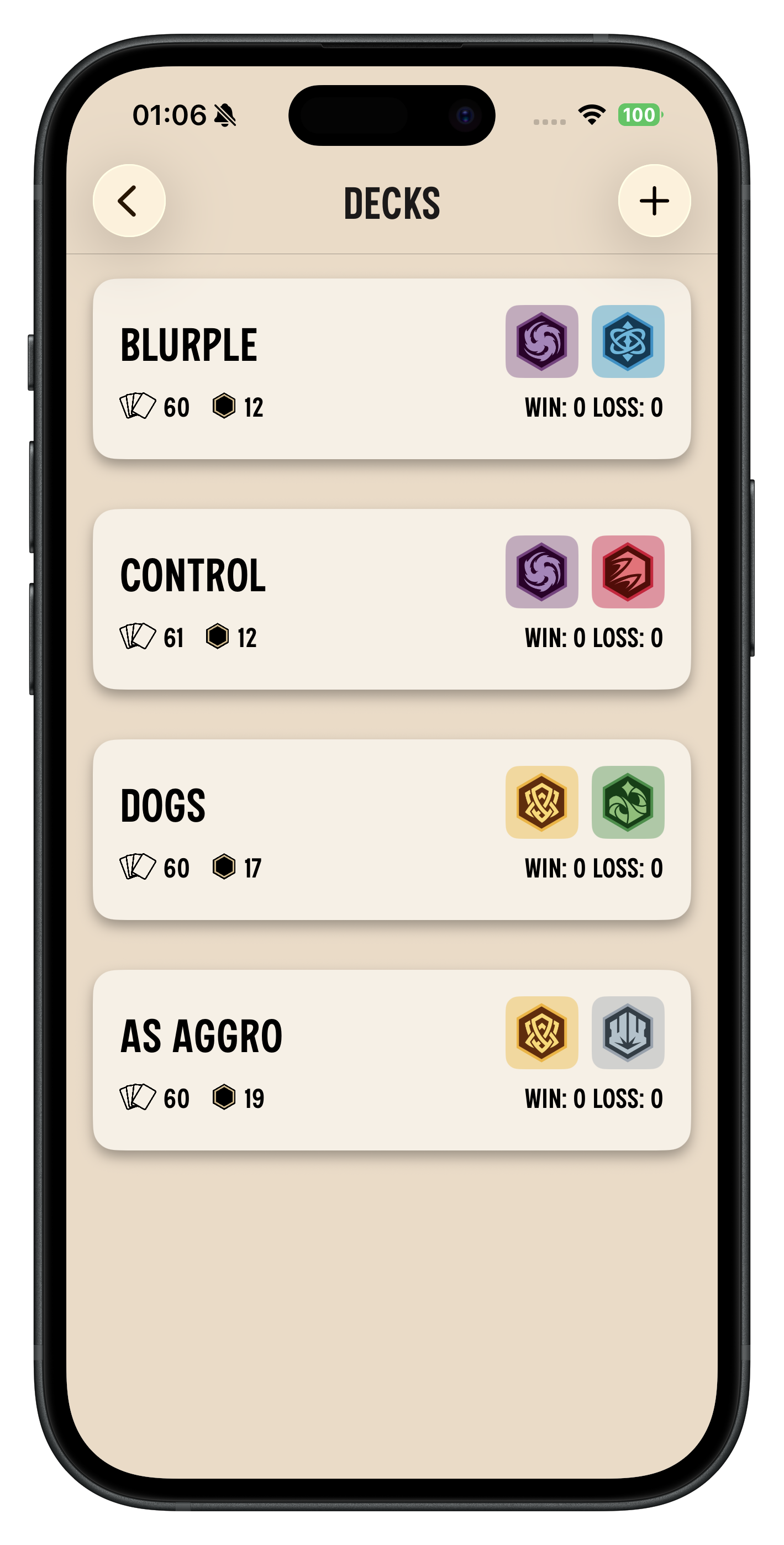
The deck list: four decks, each with its card count, its cost and the two inks it plays
The lore counter mid-game: half the screen per player, each in its own colour, read from opposite sides of the table

Want early access?

InkPocket is in private beta. We’re inviting a limited number of testers. If you’re interested, send us an email and we’ll add you when slots open.

Email: inkpockethelp@gmail.com. Please include your device (iOS/Android) and region. Already testing? Head to Support.